What Is ICEGATE? Complete Guide to Registration, Login, Bill of Entry e-Payment
Simplify Your International Payments
Skip the complexity of traditional wire transfers with EximPe's smart payment solutions
Complete international transfers in hours, not days, with real-time tracking
Streamline BOE and Shipping Bill regularization online, and generate e-BRCs effortlessly.
What is ICEGATE?
ICEGATE (Indian Customs Electronic Data Interchange Gateway) is the official online portal of Indian Customs where importers, exporters, and customs brokers file all customs documents electronically. ICEGATE enables electronic filing of Bills of Entry (imports), Shipping Bills (exports), IGM (Integrated Manifest), and online payment of customs duties. ICEGATE is the digital gateway for all international trade through India, managed by the Central Board of Indirect Taxes and Customs (CBIC). Understanding ICEGATE login process, how to file documents, download shipping bills, and register AD codes is critical for any importer or exporter operating in India.
What Is ICEGATE?
ICEGATE stands for Indian Customs Electronic Data Interchange Gateway. It is the government of India's official electronic commerce portal developed and managed by the Central Board of Indirect Taxes and Customs (CBIC) under the Ministry of Finance.
ICEGATE acts as your digital bridge between your business and Indian Customs. ICEGATE offers various trade related services like e-filing of Bill of Entry (BOE), e-filing of Shipping Bill (SB) and end to end IGST refund etc.
ICEGATE has more than 300,000+ importers, exporters, customs brokers, and shipping agents and processes around ₹50,000+ crores in customs duties annually through e-payment.
Major Trade Services Offered by ICEGATE
ICEGATE is not just for filing BOEs and SBs. It's a complete customs management portal. Below are some of the important services provided by ICEGATE:
1. File Import Documents (Bill of Entry)
2. File Export Documents (Shipping Bill)
3. Submit IGM (Integrated Manifest)
4. Track Shipment Status
5. Pay Customs Duties Online
6. Register AD Code (Authorized Dealer Code)
7. Upload Documents via e-Sanchit
8. Check License Status
9. Apply for IPR Registration
10. Access Trade Information
Benefits of Registering at ICEGATE
Who Can Log Into ICEGATE?
- Importers (with valid IEC)
- Exporters (with valid IEC)
- Customs House Agents (CHA) / Customs Brokers
- Freight Forwarders
- Shipping Lines and Agents
- Authorized Dealers (Banks)
- Port Authorities
Documents Required to Register on ICEGATE
Below are the list of documents required to register on ICEGATE:
✓ Valid IEC (Importer-Exporter Code from DGFT)
✓ GSTIN (GST Registration Number)
✓ PAN (Permanent Account Number of company/individual)
✓ Valid Email ID (registered with GSTN and DGFT)
✓ Valid Mobile Number (registered with GSTN and DGFT)
✓ Class 3 Digital Signature Certificate (DSC)
✓ Active bank account (for payments)
Important: Your email and mobile number MUST be registered with both GSTIN (GST authority) AND DGFT (if you're an importer/exporter). If they don't match, registration might fails.
ICEGATE Registration: Step-by-Step Process
The ICEGATE registration process is fully online & can be done by anyone.
Step 1: Visit ICEGATE Website
Step 2: Click "Register Now"
Step 3: Select User Type
Step 4: Verify GSTIN
Step 5: Verify IEC
Step 6: Verify Contact Details
Step 7: Verify OTPs
Step 8: Upload Digital Signature Certificate (DSC)
Step 9: Complete Role Registration
Step 10: Submit for Approval
Step 11: First Login
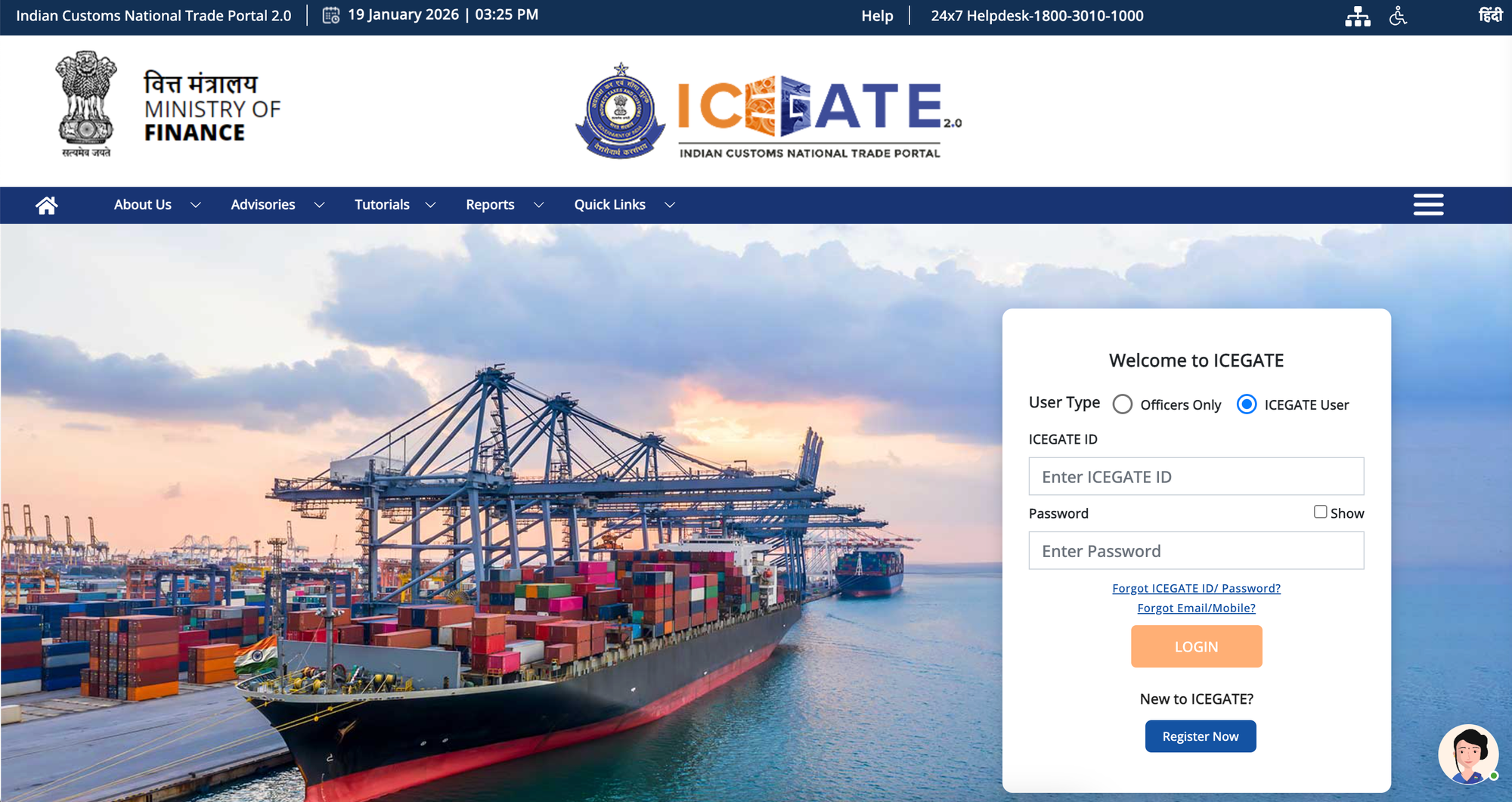
Once approved, you can log in using:
- User ID: Your IEC (for importers/exporters) or CHA code
- Password: Password you created during registration
- CAPTCHA: Verify you're human
Authorized Banks for Online Customs Duty Payments Via ICEGATE
When you pay customs duties through ICEGATE e-Payment Gateway, you can only pay through these Authorized Banks:
List of Authorized Banks for ICEGATE Payment
- Axis Bank
- Bank of Baroda
- Bank of India
- Punjab and Sind Bank
- Canara Bank
- Central Bank of India
- Dhanlaxmi Bank
- Federal Bank
- HDFC Bank
- ICICI Bank
- IDBI Bank
- Indian Bank
- Indian Overseas Bank
- Karnataka Bank
- Karur Vysya Bank
- Kotak Bank
- Punjab National Bank
- RBL Bank
- South Indian Bank
- State Bank of India
- UCO Bank
- Union Bank of India
- Indusind Bank
How to Make ICEGATE Payment Through Authorized Banks
Paying Customs duty is very crucial for timely assessment and delivery of the imported goods.
Step 1: Log Into ICEGATE
Step 2: Click "e-Payment"
Step 4: Click Search
Step 5: Select Challan to Pay
Step 6: Choose Bank
Step 7: Click "Proceed to Bank"
Step 8: Log Into Bank's Internet Banking
Step 9: Confirm Payment
Step 10: Authenticate Payment
Step 11: Payment Successful
Step 12: Return to ICEGATE
ICEGATE FAQ: Quick Answers
Q: Is ICEGATE registration mandatory?
A: YES. If you import or export anything, you must have an ICEGATE registration.
Q: What is the cost of ICEGATE registration?
A: FREE. ICEGATE registration costs nothing.
Q: How long does ICEGATE registration approval take?
A: Usually 1-3 working days. Sometimes up to 5 days during high volume.
Q: Can I change my ICEGATE password?
A: Yes. After login, go to Profile → Change Password. Enter old password and new password twice, then save.
Q: What if I forget my ICEGATE password?
A: Click "Forgot Password" on login page. Enter your User ID (IEC). OTP is sent to registered email/mobile. Create new password using OTP.
Q: Can I download BOE after clearance?
A: YES. Go to Services → Document Download → Bill of Entry. Enter BOE details and download the PDF copy.
Q: Is there a fee for downloading documents from ICEGATE?
A: No. Document download is completely free. Download as many times as needed.
Simplify Your International Payments
Skip the complexity of traditional wire transfers with EximPe's smart payment solutions
Lightning Fast
Complete international transfers in hours, not days, with real-time tracking
Bank-Grade Security
Multi-layer encryption and compliance with international banking standards
Global Reach
Send payments to 180+ countries with competitive exchange rates
Why Choose EximPe for International Payments?
EximPe Support
How can we help you with your global payments today?
Stay Informed with EximPe News
Subscribe to our newsletter for the latest updates on import-export regulations, market trends, and exclusive insights from industry experts.